
转载声明:本文转载自 Mac 系统 xcode-select --install 不能下载该软件的解决办法,著作权归原作者所有。
xcode-select --install 不能下载该软件的解决办法
更新 macOS 后无法运行 git、gcc 等命令,出现 missing xcrun 错误:
xcrun: error: invalid active developer path (/Library/Developer/CommandLineTools), missing xcrun at: /Library/Developer/CommandLineTools/usr/bin/xcrun
这是因为更新系统后会卸载 xcode,重新安装后会缺失 xcode 的命令行工具(Command Line Tools),导致部分工具无法在终端运行。常规修复是运行:
xcode-select --install
但很多时候这一步会失败,提示“xcode-select --install 不能下载该软件,因为目前不可在软件服务器上使用它……”。这是由于 xcode 的命令行工具无法从软件更新服务器获取导致的。
典型报错如下:
| 报错片段 |
|---|
| Error: The following formula: git cannot be installed as a binary package and must be built from source. Install the Command Line Tools: xcode-select --install |
| Error: Git must be installed and in your PATH! |
| xcrun: error: invalid active developer path (/Library/Developer/CommandLineTools), missing xcrun at: /Library/Developer/CommandLineTools/usr/bin/xcrun |
| Error: The following formula: python cannot be installed as a binary package and must be built from source. Install the Command Line Tools: xcode-select --install |
解决办法(手动下载安装 Command Line Tools):
- 打开 Apple 开发者下载页:https://developer.apple.com/download/more/
- 登录 Apple ID,在左侧搜索框搜索
Command Line Tools - 下载适合你 Mac 系统版本的那个安装包,安装好即可
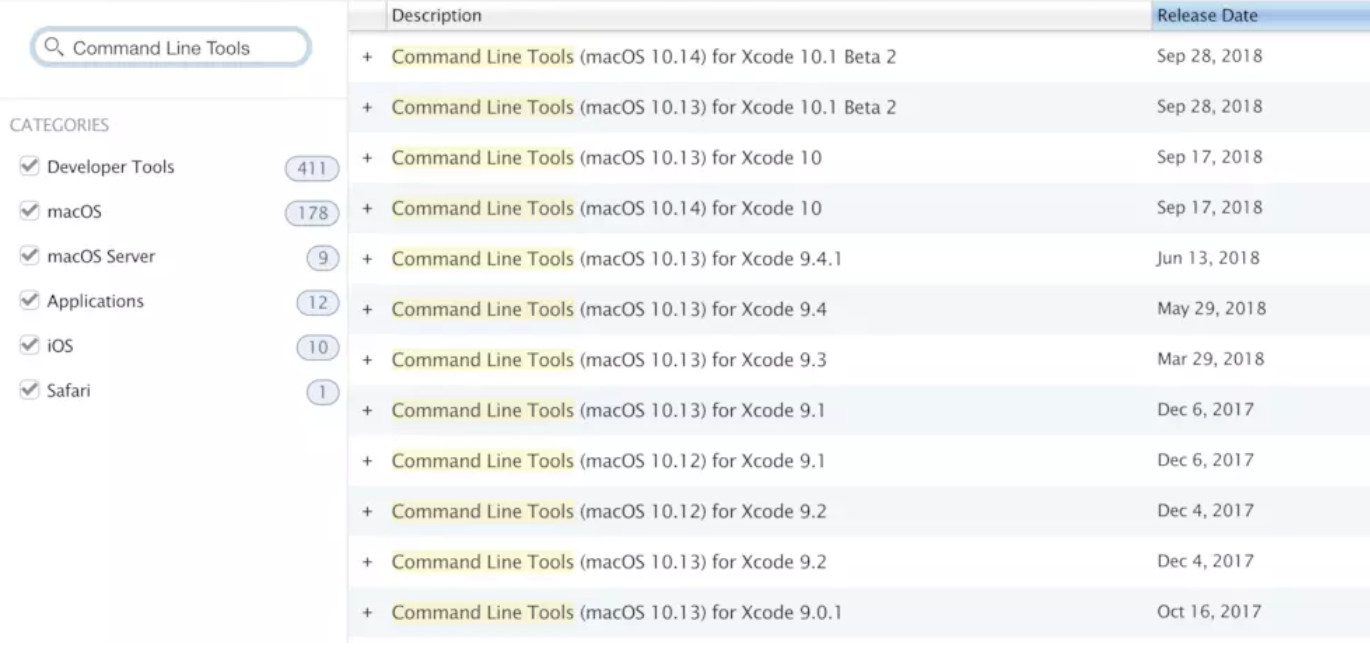
- 之后再安装 Homebrew 等即可顺利进行。